Get Cordi
Scam protection for older adults in Argentina · Android

Your parents, better protected from scams. You, with more peace of mind.

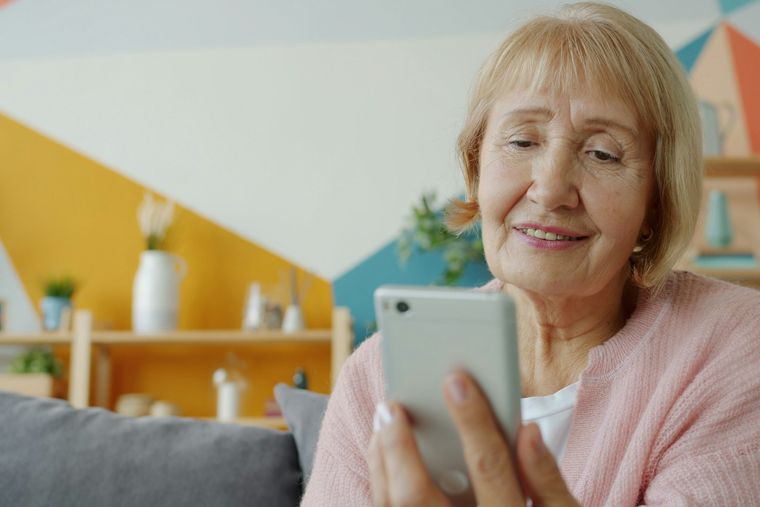
An older woman smiles while looking at her phone in her living room.
Photo of an older woman with her phone. On top, Cordi's alert (translated from Spanish): “Are you about to send money while on the phone?”, with the buttons No, leave and Call Marcos.

Cordi runs on your mom's or dad's Android phone in Argentina. Right before they send money to a new account, share a verification code or let a stranger control their phone, it asks a timely question: «¿Estás por…?» (“Are you about to…?”). They decide, and if they're unsure, one tap calls you, wherever you live.

  • Free during the trial period
  • Everything is analyzed on the phone
  • No chat reading, no call listening
  • Set up in 15 minutes over a video call
An older woman smiles while looking at her phone in her living room.
Animation of a Cordi alert, translated from Spanish (the app speaks Spanish). During a call from an unknown number, someone opens their banking app to send 850,000 pesos to a new account. Before confirming, Cordi shows a full-screen alert: “Very important alert. Are you about to send money while on the phone? Nobody from the bank, the social security office or the police asks you to transfer money over the phone. If someone is telling you what to tap, hang up and call Marcos.” Buttons: No, leave; Call Marcos; Yes, continue. The person taps “Call Marcos” and the screen says “Calling Marcos”. Then: “Done. Nothing happened.” Banco Sur and Marcos are examples.
  • 151risky situations it recognizes
  • 18categories: money, codes, calls, fake pages and more
  • 15 minto set up together over a video call
  • 0chats read or stored: everything stays on their phone
An older man with glasses looks at his phone while holding a bank card.
What they're told“To protect your savings, move them to this safe account.”
The problem

Scammers call when you're not there.

A call “from the bank”, a code that “arrived by mistake”, an app to “help you remotely”. Scammers rush, scare and guide them step by step over the phone, right when your mom or dad is alone with the phone.

No real bank asks anyone to transfer money, share a code or hand over control of their phone. But under pressure, it's hard to remember. Cordi is there in that second and asks the question you would ask.

If you live abroad

For families who live far away

You live in Tel Aviv, Madrid or Miami. Your mom lives in Mendoza. You can't be there when the “bank” calls her. Cordi is there at that moment, and the blue button calls you.

Why can't I find it in my Play Store? Cordi is listed on Google Play for Argentina only, so it won't show up on your phone abroad. That's expected: it doesn't go on your phone, it goes on your parent's. Send them the link on WhatsApp, set up a video call and install it together, step by step.

The “Call…” button dials a regular phone number, including an international one. Pick the number you'd want them to call.

A young woman smiles while talking on the phone at home.
Call MarcosIf something feels off, your phone rings, wherever you are.
Three steps

How it works

Cordi doesn't ask about everything. It looks at what is about to happen and in what context, and asks when something doesn't add up.

  1. It notices the moment

    For example: opening the banking app or confirming a transfer while on a call with an unknown number, typing into a chat the code that just arrived by SMS, or opening a remote-control app.

  2. It asks “Are you about to…?”

    A full-screen question in plain Spanish, large and read aloud. “Yes, continue” unlocks after a few seconds, to give them time to think.

  3. They decide, and can call you

    “No, leave” gets them out. “Call Marcos” dials you with one tap. Cordi never blocks or acts on its own: it only acts after the person taps a button.

Three moments when it asks

The WhatsApp code

A code arrives by SMS and someone in a chat asks for it. That's how WhatsApp accounts get stolen. Cordi asks before it's sent.

In a chatI sent you a code by mistake, can you pass it on?

Very important alert“Are you about to share a secret code?”

The fake bank call

An unknown number says there's a problem with the account and rushes them to transfer “to a safe account”. Cordi asks when the bank is opened or the transfer confirmed.

On the phoneThere's a problem with your account. Transfer now.

Very important alert“Are you about to send money while on the phone?”

Remote control or a fake page

Someone asks them to install an app to “help” remotely, or a page imitates a bank or a government agency. Cordi asks before going on.

On the phoneInstall this app so I can help you from here.

Very important alert“Are you about to let someone else control your phone?”

The alerts are in Spanish on the phone; the quotes above are translations of the app's real wording.

One scene

Same call. Different ending.

This is what a fake-bank scam looks like when it's stopped in time. Cordi doesn't hang up or block anything: it asks at the right second and leaves the decision to your mom.

  1. Rosa's phone rings. It's a number she doesn't have saved.

    This is your bank. We've detected unusual activity on your account.
  2. The voice rushes her and won't let her hang up.

    To protect your savings, open the app and move them to this safe account.
  3. Rosa opens her banking app and taps “Confirm transfer”. Before the money goes out, Cordi asks full-screen, out loud:

    Very important alert“Are you about to send money while on the phone?”

  4. Rosa hesitates. She taps “Call Marcos”: Cordi takes her out of the bank and dials her son.

    Mom, the bank never asks for that. Hang up. You did the right thing.
  5. Done. Nothing happened.

    Her savings stay in her account. Marcos, in Madrid, gets back to his day a little calmer.

Example scene: Rosa, Marcos and Banco Sur aren't real. The alert text is the app's own.

Put it on your mom's phone.

Or your dad's. Install it together in 15 minutes over a video call. Free during the trial period.

An older couple waves at their phone's camera during a video call.
Step by step

Installing it from abroad

  1. Talk it over first

    Explain what it is and what it isn't: a question before something important, not a monitoring app. If they don't want it, it doesn't get installed.

  2. Schedule a video call

    Ideally someone else holds the phone, or they use a second device for the call, so they can see the screen calmly.

  3. Send the link

    Use the WhatsApp button on this page: it sends a short message in Spanish with the install link.

  4. Permissions, one by one

    The app explains each step in large text. The key one is “Ver la pantalla” (Android accessibility): without it, Cordi can't ask. Some Samsung phones need one extra step; the app shows it.

  5. Test the call together

    At the end, a sample alert appears: they tap the blue button and your phone rings.

Google Play only shows Cordi to phones in Argentina. From abroad, send the link to your parent.

Privacy

Privacy: it's not for watching them

Cordi looks out for your mom or dad without looking into their life. They give consent, and they can turn it off anytime.

What it protects

  • Everything is analyzed on the phone.
  • It doesn't keep screenshots or the content of their conversations.
  • It doesn't listen to or record calls.
  • You don't see what they do: there's no dashboard to watch their phone.
  • Sharing usage data to improve the app is optional and can be turned off.

What it doesn't do

  • It helps a lot, but it isn't infallible and doesn't replace staying in touch.
  • It doesn't block anything: it asks, and they decide.
  • Some banking apps hide their screen; then Cordi asks when the bank is opened during a suspicious call, but can't read the amount.
  • Android 8 or newer only. No iPhone version.
  • It doesn't cover what happens off the phone, like a call to a landline.

Frequently asked questions

Is there an app that protects elderly parents from phone scams in Argentina?

Yes: Cordi is an Android app built for Argentina. Before a risky step, such as sending money to a new account, sharing a WhatsApp or bank code, or giving remote control, it asks the person “Are you about to…?” and offers to call a family member with one tap. It speaks Rioplatense Spanish and is free during the trial.

How much does Cordi cost?

It's free during the trial period. If a paid plan is added later, it will be announced in advance and nothing is activated automatically.

I live outside Argentina. Can I install it?

Not on your own phone: Cordi is listed on Google Play for Argentina only. You don't need it there. It goes on your parent's phone in Argentina: send them the link and install it together over a video call.

Does it work on iPhone?

No. Cordi works on Android phones with Android 8 or newer (Samsung, Motorola, Xiaomi and others).

Is it a spying app?

No. It doesn't keep screenshots or the content of their conversations, doesn't listen to calls and doesn't show you what they do. To notice a risk it reads the on-screen text at that moment, on the phone, and discards it. It asks them a question before something important, and that's it. They give their own consent on a large-text screen before it turns on.

Why does it need the accessibility permission?

Android's accessibility permission lets Cordi notice that something risky is about to happen (for example, a “Confirm transfer” button) and show the question in time. What it reads is analyzed on the phone and discarded. It never reads passwords and can be turned off at any time.

Does it stop every scam?

No. It helps a lot to stop in time on the phone, but it isn't infallible: it doesn't cover landline calls or what happens off the phone, and some banking apps hide their screen. Talking about scams as a family still matters most.

More peace of mind, even from far away

Send the link and schedule a video call. In 15 minutes your mom or dad has a second look on their phone, and you have one less thing to worry about.

Android 8 or newer · They decide · They can turn it off anytime

An older couple smiles, arm in arm, on the sofa at home.

Photos: Vitaly Gariev on Unsplash. App screens are faithful recreations translated from Spanish (on the phone, Cordi speaks Rioplatense Spanish); names and the bank are examples.